
menu.svg

video surveillancewith artificialintelligence

  • Privacy and security
  • High processing speed
  • Reduced server costs
  • Automatic threat detection

About the project

Security

Operates locally — protects data and prevents leaks. AI analyzes events in real time, reducing staff workload: monitoring is possible even with a single operator

/block-2-im-1.webp

Autonomy

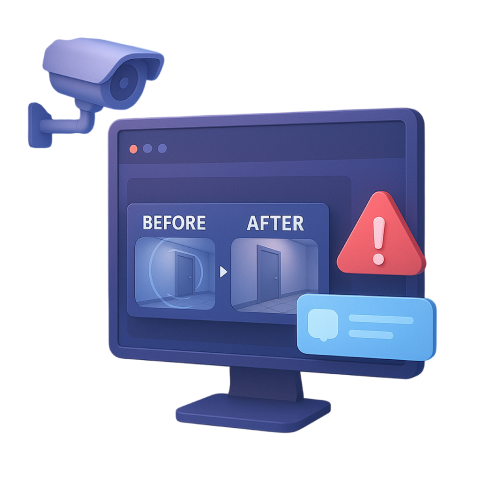
Every recorded event is accompanied by an automatic incident clip, and notifications are instantly delivered to the app
/block-2-im-2.webp

High performance

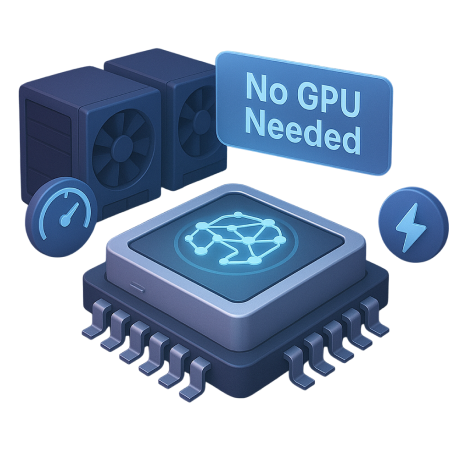
Optimized neural networks running on CPU processors deliver high performance without the need for expensive GPU servers
/block-2-im-3.webp

Solutions

/tracking-people.svg
/tracking-animals.svg
/tracking-car-zone.svg
/tracking-car-crash.svg
Play

Plans and licenses

Local deployment

solution image

We deploy the system on your devices (Linux and iOS) — fast, secure, and private

  • AI detection of predefined events
  • Full control over the video stream without the cloud
  • Annual license

Cloud solution

solution image

We deploy the system in the cloud — convenient and scalable for your needs

  • AI detection of predefined events
  • Fast launch without hardware investment
  • Flexible pricing depending on the number of cameras

Price1 250 $/year


gift.svg

Training the system for one custom event included as a gift

Pricefrom 100 $/per camera per month


gift.svg

Training the system for one custom event included as a gift (with annual payment)

ai-hand.webp

AI Training: Customizing the System for Your Unique Events

We adapt the system's neural network to recognize unique events, objects, and actions specific to your environment — whether it's an industrial site, retail space, logistics center, or another scenario. You get a system tailored to your individual use cases and needs

Frequently Asked Questions

How quickly does the system detect and notify about incidents?

The system detects an event within no more than 3 seconds from the moment it occurs and sends a notification to the application.

Video stream analysis is performed at a configurable frequency — from 5 to 20 seconds, depending on site conditions and the expected frequency of events.

This makes it possible to balance response speed, computational load, and recognition accuracy.


Is AI training required for my specific site or type of events?

The system supports a set of pre-trained scenarios that can be launched at the site immediately after installation.

If recognition of unique or highly specific events is required, additional neural network training is carried out for the customer’s specific conditions and objectives.


Is an internet connection required for the system to operate?

With local deployment, the system is fully autonomous and can operate without an internet connection, using only the site’s local network.

If a cloud-based deployment is selected, a stable internet connection is required for system operation and video stream transmission.


Does the system run locally, in the cloud, or in a hybrid mode?

The system supports a flexible deployment architecture:

  • locally — on the customer’s computing infrastructure
  • in the cloud — on infrastructure provided by the AVA distributor

The choice depends on security requirements, scalability, and available resources.


How does the system work at night or in bad weather?

In adverse weather conditions (rain, snow, fog), recognition accuracy may decrease; however, the system continues to operate and record events.

For night-time operation:

  • external lighting is required, or
  • cameras with infrared (IR) illumination can be used

The system is compatible with all types of cameras that support a minimum resolution of 480 pixels, including IR cameras.


Is a GPU-accelerated server required, or is a CPU sufficient?

The system can operate on both CPUs and GPU accelerators.

In practice, it has demonstrated high performance:

  • on Apple Silicon processors (including Apple M4)
  • on servers and workstations with GPU acceleration

The choice of configuration depends on the number of cameras, scenario complexity, and processing speed requirements.


Where is video stored: locally, in the cloud, or on third-party servers?

Video recordings are stored on the deployment site — on local servers or the customer’s infrastructure.

In the case of cloud-based processing, only the video stream required for analysis is transmitted to the cloud, without long-term archive storage, which increases data security and control.


Where are incident notifications delivered?

All incident notifications are delivered to the notification center of the AVA desktop application, available for:

  • Windows
  • macOS

Operators receive real-time alerts with the ability to quickly jump to the relevant video fragment.


How does the system adapt to unique events at my site?

After launch, the system requires several days to adapt to real site conditions (lighting, camera angles, behavioral patterns).

When deployed at a new site, AVA specialists perform:

  • initial configuration
  • parameter tuning
  • model fine-tuning to the specifics of the environment

How long does it take to train the AI for my specific task?

Training the system to recognize new, previously unsupported events takes from 1 to 2 months.

The timeframe depends on:

  • scenario complexity
  • available volume of video data
  • requirements for recognition accuracy and robustness

Is it possible to use facial recognition or license plate recognition technologies?

Yes, the system can be extended with modules for facial recognition, license plate recognition, and other analytical technologies.

Such features are enabled upon request and in compliance with applicable personal data protection laws.

Request a solution:

Enter your information
Local server/block-3-im-1.webp
Cloud solution/block-3-im-2.webp
Number of cameras
Neural network training required for your unique event
Comment